Want to light up a dark corner without calling an electrician, drilling holes, or running a cable to the nearest outlet? A wireless LED light bar is your answer. But between models that last a week and those that last a month, the difference is huge — and it almost entirely comes down to the battery.
This guide gives you the criteria that truly matter, situations where wireless is an excellent solution, and when it's best to avoid it. No BS.
What Wireless Really Changes in Your Life
A wireless LED light bar solves a very specific problem: lighting a spot without easy access to electricity. No conduit needed, no electrical panel to touch, no handyman to call.
Who Is It Really For?
The typical user is a renter. You don't want to leave your rental in worse condition, you can't drill everywhere, and you want to take your lighting with you when you move. A wireless light bar delivers exactly that: it installs in under a minute with adhesive or a magnetic mount, and it removes without a trace.
It's also the perfect solution for closets, wardrobes, under-stair nooks, and kitchen countertops — all those places without a nearby outlet where installing wired lighting would cost between $150 and $350, including labor. For these uses, also check out our article on best LED closet lights and our tips on wireless closet lighting.
What Are the Concrete Benefits?
Beyond effortless installation, wireless LED light bars offer practical benefits often underestimated. To delve deeper, we've detailed the 7 key advantages of wireless LED light bars. Here are the most important:
- Repositionable at will: Moving? Take your light bar with you. Redecorating? Move it around. Zero hassle.
- Zero permanent power consumption: In motion sensor mode, the light bar only turns on when you pass by. The battery lasts much longer, and you don't pay for light no one is looking at.
- Completely self-sufficient installation: No electrician needed, no appointments to schedule, no service fees. You install it, adjust it, and forget about it.
- USB rechargeable: Unlike battery-powered light bars, rechargeable models power up via USB. You plug it in about once a month, and that's it.
And the Honest Limitations?
Wireless isn't magic. There are two situations where it's not the right tool:
- Intense, all-day primary lighting: If you need to light a workshop or professional kitchen for 8 hours straight, a wired light bar is more suitable. The continuous mode of a wireless light bar is designed for a few hours, not prolonged daily use.
- Spaces requiring high light output: A large main living area needs powerful, stable lighting. A wireless light bar is accent or task lighting — it complements, it doesn't necessarily replace a ceiling fixture.
Still undecided between the two options? Our comparison between wireless and wired LED light bars provides a clear view of both use cases, without bias.
The Game-Changer: The Battery
The battery is what separates a disappointing gadget from equipment that truly delivers. And this is where most people get tricked.
Why Do Cheap Light Bars Disappoint?
Light bars under $15 sold on major marketplaces usually come with 400 to 800 mAh batteries. The practical result: in motion detection mode, you get a week, sometimes two. In continuous mode, a few hours. And after a few months, the battery quickly loses capacity.
The problem isn't the LED technology itself, which is mature and efficient. The problem is that to cut costs, manufacturers save money exactly where it shows up fastest: on stored energy.
What's a Good Battery Capacity for a Wireless Light Bar?
In practice, a wireless LED light bar that can be used daily for several weeks without recharging needs a battery of at least 2000 mAh. Below that, you'll spend your time looking for the USB cable. Above 3000 mAh, you're entering the serious equipment category.
To understand how battery life is calculated and what influences it, our guide on LED light bar battery life details everything in depth.
Motion Detection vs. Continuous Mode: Real Battery Life?
The same light bar can claim very different battery lives depending on the mode used:
| Mode | Principle | Typical Battery Life (good battery) | Ideal For |
|---|---|---|---|
| Motion Detection | Turns on for 20-30s with movement, turns off automatically | 4 to 6 weeks | Closets, hallways, stairs |
| Continuous | Stays on constantly | 5 to 8 hours | Kitchen during meal prep |
Most daily uses fall under motion detection mode. You open the closet 10 times a day for 30 seconds each: that's perfectly compatible with 4 to 6 weeks of battery life. However, if you leave your light bar on continuously while cooking, expect more frequent recharging.
Color Temperature: Warm White, Neutral, or Cool?
This choice directly impacts visual comfort, and many people don't anticipate it before buying.
Which Temperature to Choose for Each Room?
- 3000 K (Warm White): Soft, orange-toned light, ideal for creating ambiance in a hallway, closet, or bedroom. Similar to classic incandescent bulbs.
- 4000 K (Neutral White): Balanced, neither cool nor warm. Good option for kitchens, stairs, workspaces. Natural color rendering.
- 6000 K (Cool White): Bright, bluish light. Reserved for garages, basements, or technical areas where you need precise visibility without worrying about ambiance.
Is Brightness Adjustable?
On quality models, yes. Having a built-in dimmer makes a big difference: you can switch from bright light in the kitchen to soft light for a nighttime pass-through. This is a feature to check before buying, as not all models offer it.
The Mounting: What Makes the Light Bar Last
Installing a wireless LED light bar takes 30 seconds. But the mounting needs to last months — even years.
Adhesive Only or Magnetic System?
Two approaches coexist in the market:
- Adhesive only: Simple solution, but almost permanent. The light bar isn't easily removed, and if the adhesive fails (heat, humidity), it's hard to fix.
- Magnetic mount + adhesive: The mount stays fixed, the light bar can be removed and reattached in one motion. You can recharge it without disassembling anything, and reposition it if needed. This is the most practical solution for daily use.
Especially for the kitchen, the magnetic system is a real convenience: you detach the light bar to plug it in, then put it back two hours later. No acrobatics.
Does the Mounting Surface Matter?
Yes. Industrial adhesive holds well on lacquered wood, plywood, MDF, or smooth plastic. It adheres less effectively to porous painted plaster, concrete, or slightly textured surfaces. Before sticking, clean the surface with alcohol: it makes a real difference in adhesion longevity.
How to Choose the Right Light Bar Length?
Length determines both light output and the illuminated area. You need to calibrate both based on the space.
What Length for a Closet or Kitchen Cabinet?
| Length | Light Output | Recommended Use |
|---|---|---|
| 9 inches (23 cm) | ~150 lumens | Small closet, wardrobe, nighttime hallway, stairs |
| 16 inches (40 cm) | ~320 lumens | Kitchen countertop, under upper cabinet, large shelf |
For a kitchen, a 16-inch (40 cm) light bar under each upper cabinet provides functional light across the entire countertop. For a wardrobe closet, one or two 9-inch (23 cm) bars are usually sufficient.
Should You Use Multiple Light Bars for a Large Space?
If the area to be lit exceeds 31 inches (80 cm), it's better to use multiple light sources rather than hoping a single light bar covers everything. Two well-placed light bars provide a much more uniform result than one too short and poorly placed. Many users start with one light bar under the most used cabinet, then add a second after a few weeks.
Where It Works Well — and Where It Doesn't
Before buying, it's best to have a clear picture of the contexts where a wireless LED light bar truly shines.
Good Use Cases
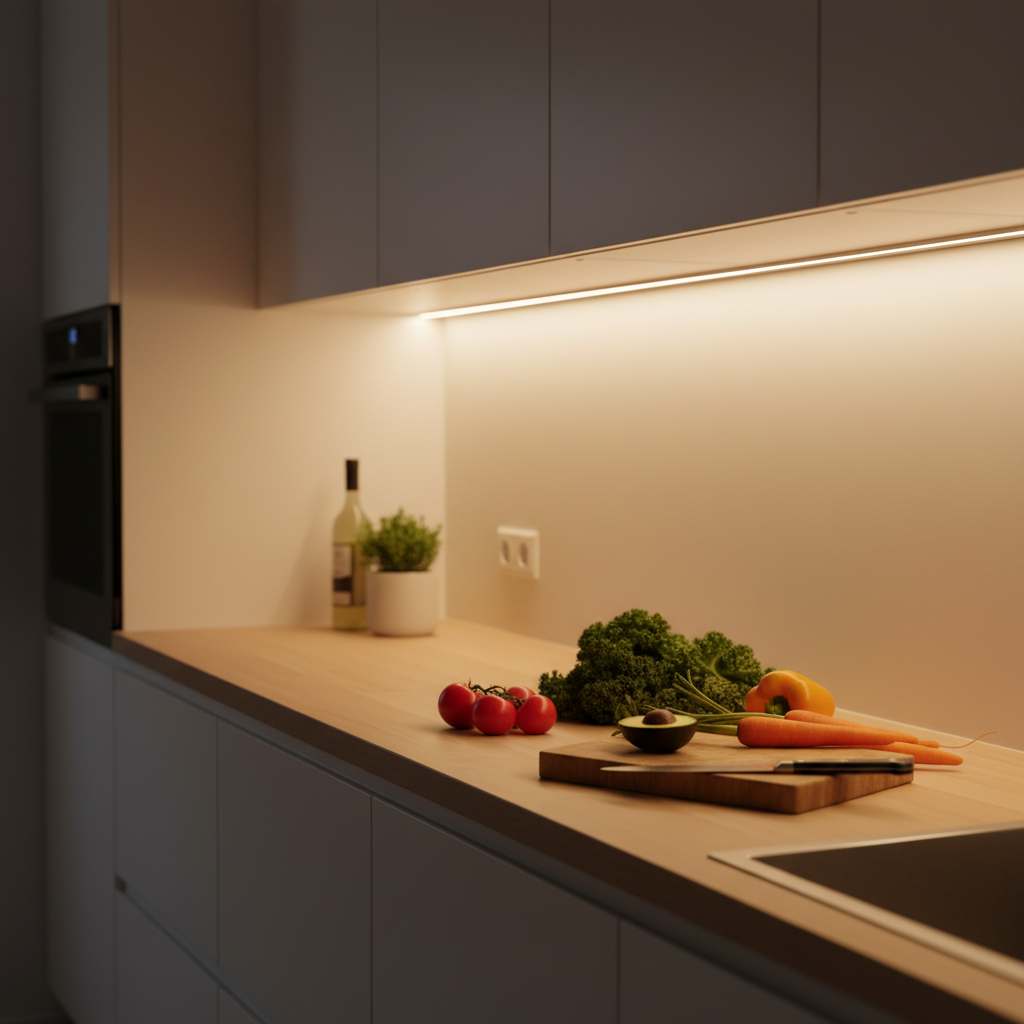
- Under kitchen cabinets: Countertop lighting during meal prep. Immediate results, no professional installation.
- In a closet or wardrobe: The motion sensor turns on as soon as you open the door, turns off when you leave. Convenient and energy-efficient.
- On stairs or in hallways at night: You pass by, it gently lights up, you reach your destination without turning on all the lights. Ideal for not waking others.
- In a garage or basement without an accessible outlet: No need to have an electrician install an outlet just to have light in a dark corner.
Situations Where Wireless Shows Its Limits
- Workshop or active office 8 hours/day: In continuous mode, battery life won't keep up. A wired light bar is more suitable for intensive, prolonged use.
- Main room without another light source: A wireless light bar is designed as functional or accent lighting. It doesn't replace a ceiling light in a living room or master bedroom.
- High humidity areas (shower, outdoors): Unless specifically designed for outdoor use, an indoor LED light bar is not built to withstand water.
What Makes the Difference Long-Term
A wireless LED light bar is also judged on its longevity. Not just its first few weeks.
Material Matters for Heat and Durability
Plastic light bars accumulate heat, which accelerates the degradation of electronic components. Aluminum housings dissipate heat better, extending the life of the battery and LEDs. This is often an easily visible quality indicator.
The Warranty Says a Lot About Manufacturer Confidence
A manufacturer offering a short warranty (one year or less) isn't really banking on the durability of their product. Conversely, a long warranty indicates the product was designed to last — and that customer support is ready to respond if something goes wrong.
The lifespan of rechargeable LED lighting also depends on daily use and the quality of the integrated battery — a topic we explore in detail in this dedicated article.
Do You Need a Light Bar with an Ambient Light Sensor?
Yes, if you don't want your light bar to turn on in broad daylight when someone passes by. An ambient light sensor deactivates motion detection mode when it's bright enough. Result: no unnecessary triggers during the day, automatic triggering at night. The battery lasts much longer, and it's less annoying.
The Movement 3.0: Why We're Talking About It
If you're looking for a wireless LED light bar that checks all the important boxes — serious battery, magnetic mounting, motion + ambient light sensor, aluminum, choice of temperatures — the Movement 3.0 by Lumic is worth a close look.
It features a 3000 mAh battery, about 3 times the capacity of entry-level models. In motion detection mode, that translates to approximately 4 to 6 weeks of battery life depending on the chosen model. It installs in seconds via magnetic mounting on an industrial adhesive base, and can be removed for recharging without disassembling anything. Aluminum housing, adjustable brightness, three available temperatures.
Two sizes: 9 inches (~150 lumens) for small spaces, 16 inches (~320 lumens) for countertops and large cabinets. 5-year warranty + 90-day money-back guarantee. US-based customer support, response within 24 hours.
For an overview of available models and a comparison with other market options, consult our complete comparison of wireless LED light bars.
What to Remember Before Buying
A wireless LED light bar is an excellent tool for renters, spaces without outlets, accent lighting, and anything that needs installation without major work. It's not meant to replace primary lighting in a large, active room all day long.
The number one criterion: the battery. Below 2000 mAh, you'll be recharging every week. Above 3000 mAh, you're good for a month. Magnetic mounting is a real convenience for daily use, especially if you need to recharge regularly. And the ambient light sensor prevents unnecessary triggers during the day.
Quick checklist before buying:
- Battery: 2000 mAh minimum, 3000 mAh for serious use
- Mounting: Magnetic + adhesive, not just adhesive only
- Sensor: Motion + ambient light (not just motion)
- Material: Aluminum preferred over plastic
- Length: 9 inches for a closet, 16 inches for a countertop
- Warranty: At least 2 years, ideally 5 years
- Recharge: USB, no batteries