You've tried everything: there's no outlet behind your upper kitchen cabinets. And without an outlet, no lighting. So you rely on ceiling light, which illuminates the top of your head but not the countertop where you chop, peel, and cook.
Wireless kitchen lighting has been around for a few years, but it long suffered from a bad reputation: battery life of three days, yellowish light, adhesive failing after two weeks. Those days are over. This guide shows you what really works, why wireless is now a viable option, and for whom wired lighting remains preferable.
Why Kitchens Are So Often Underlit
The problem stems from the construction itself. In most homes, electricians place outlets at countertop level, but rarely inside or under upper cabinets. The result: your suspended cabinets become dead zones.
The Myth of "Just Plug in a Cable"
On paper, plugging in a wired LED light bar seems simple. In practice, it requires either running a visible cable along the cabinets (not very aesthetic) or hiring an electrician to create a dedicated circuit. The average cost for this type of intervention ranges from $150 to $300, depending on the kitchen's configuration and the cable length. For renters, this is often out of the question.
Ceiling Lighting Isn't Enough
A pendant light or a centered ceiling fixture creates shadows exactly where you don't want them: on your countertop, when you're standing in front of it. This is basic physics, not a flaw in your kitchen. The solution isn't to change the ceiling; it's to add a light source in the right place.
How Wireless Kitchen Lighting Really Makes a Difference
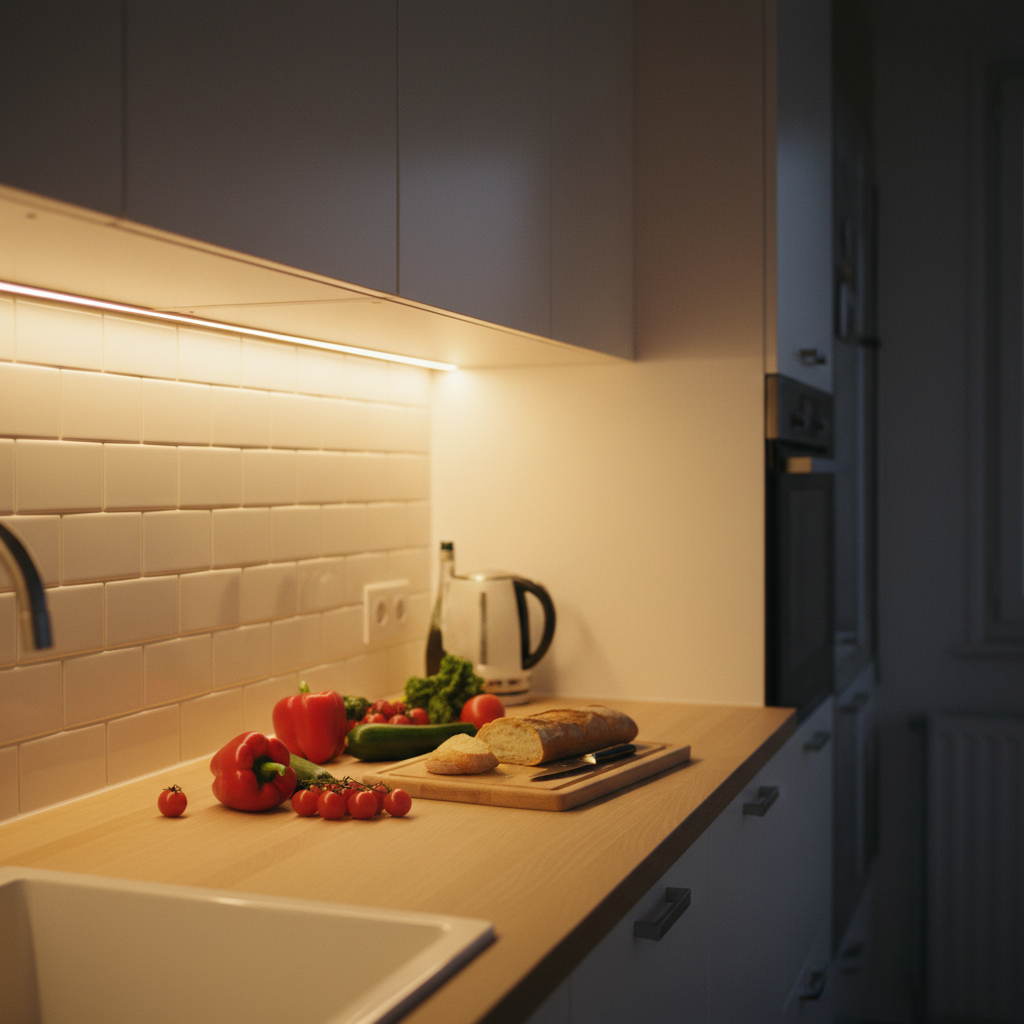
Well-placed under cabinet lighting transforms daily kitchen use. It's not about decor; it's about comfort and safety: seeing what you're cutting, reading measuring cup graduations, and not missing the bottom of a pan.
The Advantage Nobody Mentions: Zero Irreversible Decisions
With wireless lighting, you can test a location, move it if it's not perfect, or add a second one if the first doesn't cover the entire countertop. With wired lighting, once the cables are installed, you're stuck with it.
Even Easier for Renters
No drilling, no cables, no marks left behind. You install your adhesive mount, and you can remove it cleanly if you move. Your security deposit remains intact. This is a concrete benefit, not a marketing claim: landlords and property managers check for drilling and wiring marks.
How to Choose Your Wireless Kitchen Light: The 4 Key Criteria
The market is vast and uneven. To avoid buying a light that will disappoint you in a month, focus on these four points above all else.
Battery Life: How Long Without Recharging?
This is the number one criterion. A rechargeable LED light bar installed under an upper cabinet is inconvenient to unplug every other day. If the manufacturer doesn't clearly specify battery life in motion sensor mode (the mode used daily), it's a bad sign. For standard kitchen use, aim for at least three weeks of battery life in motion sensor mode. Below that, it becomes a hassle. To delve deeper into this, check out our guide on LED light bar battery life.
Mounting: Does It Really Hold?
Industrial adhesive works on clean, smooth, non-porous surfaces: the underside of most melamine or lacquered wood cabinets. It holds less well on rough, porous, or thickly painted matte surfaces. If you're unsure about your cabinet surface, check it before buying. Magnetic mounting coupled with an adhesive bracket offers the best balance: the adhesive bracket stays put, but the light bar easily detaches for recharging.
Light Quality: Color and Intensity
Color temperature completely changes the look and feel of your kitchen. Warm white (3000K) creates a cozy ambiance, ideal if your kitchen is open to the living room and you want visual continuity. Neutral white (4000K) is more functional; it renders food colors better and makes reading easier. Cool white (6000K) is very precise but can appear harsh in a living space. If you mainly cook in the evening, warm or neutral white is generally more pleasant. The ability to adjust brightness is a real plus: maximum intensity for cooking, low for an evening ambiance.
Charging: USB or Batteries?
Models with disposable batteries have a hidden cost and real inconvenience: you'll find yourself opening the battery compartment while perched on a stool every two months. USB rechargeable models are much more practical, provided recharging isn't too frequent (see battery life criterion). Rechargeable LED lighting also has a significantly longer lifespan than battery-powered lamps.
Different Wireless Kitchen Lighting Solutions
Several product families exist, each with its advantages. Here's an honest overview to help you choose.
| Product Type | Pros | Cons | Average Budget |
|---|---|---|---|
| Rechargeable LED Light Bar (USB) | Good battery life, uniform light, discreet design | Needs periodic recharging | Medium |
| Battery-Powered LED Spot Light | Very easy to install | Batteries need frequent changing, spot lighting | Low |
| USB LED Strip Powered by Power Bank | Flexible, inexpensive | Very low battery life, inconvenient | Very Low |
| Rechargeable Motion Sensor Light | Automatic turn-on, energy saving | Can be accidentally triggered | Medium to High |
The Wireless LED Light Bar: The Best Format for the Kitchen
The light bar format (thin rectangular strip) is best suited for under cabinet kitchen lighting. It diffuses uniform light across the entire countertop, with no shadow zones. Spotlights leave unlit areas between each spot, which is annoying when you're chopping vegetables 12 inches from a spot and in shadow 20 inches away. For a deeper comparison, our guide to wireless LED light bars details the models available in 2026.
Motion Sensor: Practical or Gimmick?
In a kitchen, a motion sensor is genuinely useful. You walk in with groceries, the light turns on automatically. You finish cooking, it turns off. No need to search for a switch or remote. The ambient light sensor complements the system: if the kitchen is already well-lit naturally, the light bar won't turn on unnecessarily, preserving battery life.
Wireless vs. Wired Kitchen Lighting: Let's Be Honest
There's one situation where wired lighting remains a better option: you own your home, you're renovating your kitchen, and you're installing permanent cabinets. In this case, integrating wired light bars directly powered from the cabinets is a clean, invisible, and permanent solution. No recharging needed, no battery to monitor. Our comparison of wireless vs. wired LED light bars helps you decide based on your situation.
However, if you're a renter, if your kitchen is already installed, or if you simply want to improve your lighting without a major renovation, wireless is the most pragmatic solution. The ratio between the benefit gained (functional, immediate, mark-free lighting) and the effort required (installing an adhesive mount in 30 seconds) is unbeatable.
Lumic's Movement 3.0: Why It's Often Featured in Comparisons
If you're looking for reliable wireless kitchen lighting, the Movement 3.0 is frequently praised in reviews for concrete reasons, not just marketing hype.
First, the battery. The Movement 3.0 features a 3000 mAh battery, significantly larger than most light bars on the market. In motion sensor mode, the 9-inch (23 cm) model lasts about four weeks, and the 16-inch (40 cm) model lasts about five to six weeks. In continuous mode (always on), expect five hours and eight hours, respectively. It's not magic, but it's honest and verifiable.
Next, flexibility. You choose the length (9 inches for a cabinet, 16 inches for a wider countertop), color temperature (3000K, 4000K, or 6000K), and adjust brightness. The mounting is magnetic with an adhesive bracket: you can remove the light bar for USB recharging without touching the bracket, then put it back instantly.
The aluminum design is discreet and well-finished, which matters under white or gray cabinets. And if anything goes wrong within five years of purchase, the warranty covers the product. The 90-day satisfaction guarantee allows you to truly test it in your kitchen before deciding.
For renters still hesitant: for the price of two delivered pizzas, you get kitchen lighting that installs without a drill, without an electrician, without leaving marks, and that you can take to your next apartment. That's hard to beat in terms of value and effort.
If countertop lighting is your priority, our guide on wireless countertop lighting goes further into ideal placements and optimal distance from the countertop.
How to Properly Install Wireless Kitchen Lighting
Installation takes less than a minute, but a few practical tips make the difference between a secure installation and one that falls off after a week.
Prepare the Surface Before Adhering
The surface must be clean, dry, and degreased. The underside of kitchen cabinets often accumulates airborne grease, even if it's not visible. A wipe with a paper towel soaked in rubbing alcohol is sufficient. Do not adhere to a freshly painted surface (wait at least 48 hours for complete drying) or to a textured or porous surface (e.g., unfinished raw wood).
Choose the Right Location
Place the light bar towards the front of the cabinet (facing you), not at the back. The goal is to illuminate the countertop in front of you, not the back of the cabinet. A distance of 2 to 4 inches (5 to 10 cm) from the front edge of the cabinet generally provides the best downward light angle. If you have multiple upper cabinets, start with the most central one, test the lighting for a week, then add more if needed.
Configure the Motion Sensor
Most light bars with sensors offer adjustable shut-off delays (30 seconds, 1 minute, 3 minutes). For the kitchen, 1 to 2 minutes is usually the right setting: long enough not to turn off while you're chopping, short enough not to waste battery. Also, check the sensor's sensitivity if your model allows it: in the kitchen, moderate sensitivity avoids false triggers from steam or drafts.
The Benefits of Wireless Kitchen Lighting You Only Appreciate Later
You don't always realize the impact of good under cabinet lighting beforehand. Common feedback from those who've installed it: they cook differently in the evening (less eye strain, better visibility of food textures and colors), they enjoy the kitchen even on cloudy days when they used to always turn on the ceiling light. Some install a second one in a dark pantry or hallway, because the principle is so simple once the first is in place.
For interior cabinets, the logic is the same: a dark kitchen cabinet where you store spices, canned goods, and utensils is so much easier to use with automatic lighting. If you want to explore this option, our article on LED closet lights details the most practical configurations.
Key Takeaways Before Buying
Wireless kitchen lighting has evolved from a gadget to a real solution in just a few years. If you're a renter or simply don't want to undertake renovations, it's now the most pragmatic option to solve the lack of lighting under your upper cabinets.
Key criteria not to overlook: actual battery life in motion sensor mode, mounting quality, color temperature choice, and ease of recharging. Avoid battery-powered models and be wary of battery life claims made for continuous mode rather than motion sensor mode.
If you want to explore all the benefits of wireless kitchen lighting before deciding, it's a useful read to calmly compare your options.